

You install an update, everything seems fine, and then a user reports that something has stopped working. Nobody on the development team noticed the problem during testing. Now someone has to go back through recent changes, check the logs, reproduce the error, and work out where things went wrong.
This situation is fairly common in software development. EndBugFlow is designed to make this process more organized by connecting bug tracking with the tools a development team already uses. Instead of relying entirely on manual reports, the platform can collect information about errors and move them into a structured workflow.
So, how does Endbugflow software actually work? It starts with detecting an issue and continues through prioritization, development, testing, and final resolution.
Key points
Endbugflow Software Explained
Traditional bug tracking usually depends on someone noticing a problem first. A tester or developer finds an error, opens a ticket, adds a description, and sends it to the appropriate person. If the report is missing important information, another round of questions may follow before anyone can start working on the issue.
EndBugFlow takes a more connected approach.
The platform can integrate with existing development and monitoring tools through APIs and webhooks. These connections allow information to move between systems without requiring developers to manually copy every technical detail.
For example, a programmer at Soloway or another software company may already use several tools for development, testing, monitoring, and deployment. EndBugFlow can sit alongside those tools and bring relevant bug information into one workflow.
The result is a more consistent process from the first error notification to the final fix.
Managing and Prioritizing Software Bugs
Not all bugs have the same impact. A small visual issue can wait, while an error that prevents users from logging in may need immediate attention.
EndBugFlow can organize issues according to predefined severity criteria. The classification may take into account the number of affected users, the part of the application involved, and the potential impact on system stability.
This helps development teams decide what needs attention first without having to manually review every incoming ticket.
Teams can also adjust the rules according to their own workflows. A startup with a small development team may handle priorities differently from a large company managing several applications.
Bug Tracking and Reporting
Manual bug reports are often incomplete. Someone may mention that a page is not loading but leave out the browser version, operating system, error message, or exact steps that caused the problem.
Integrated tracking can reduce this problem.
When EndBugFlow receives information from connected APIs, error handlers, or other development tools, the resulting ticket can contain useful technical details such as:
- steps for reproducing the issue;
- stack trace information;
- environment details;
- error messages;
- information about the affected application component.
Developers therefore have more context when they begin investigating an issue.
Instead of starting with a short description like “the application crashed,” they can work with a more complete record of what happened and under which conditions.
Key Features of Endbugflow
Endbugflow software brings several parts of the bug-management process together. The exact workflow can depend on how a team configures the platform, but common functions include task assignment, automated workflows, progress tracking, reporting, and team collaboration.
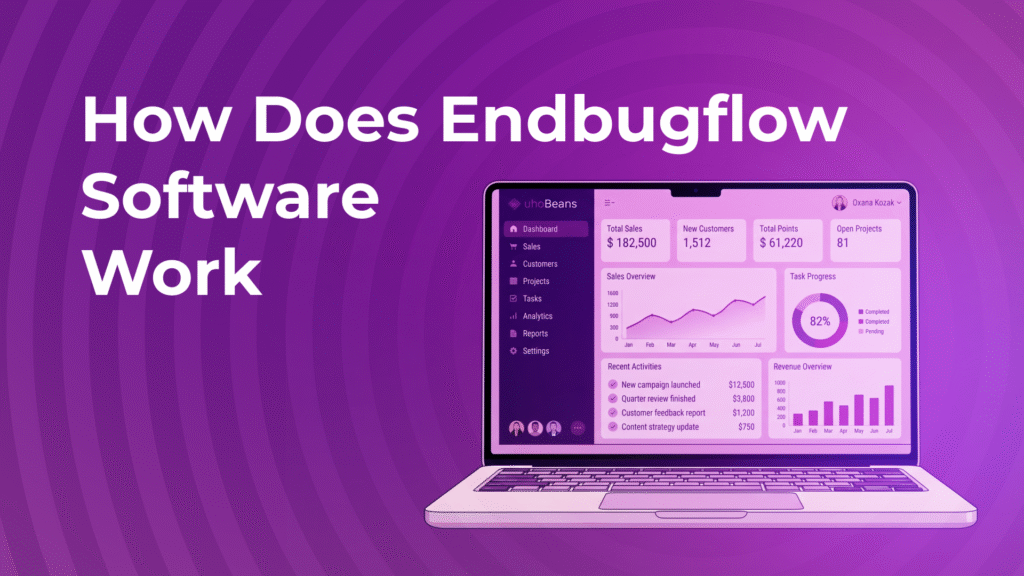
A central dashboard gives developers, testers, and managers a shared view of current issues. It becomes easier to see which bugs are open, which ones are being worked on, and which are waiting for testing.
The same information can also be useful when managers need to review project progress without interrupting developers for constant status updates.
For distributed teams, having this information available in one place can be particularly useful.
The Endbugflow Testing Workflow
Bug fixing does not end when a developer changes the code. The fix still needs to be tested.
A typical workflow can move through several stages:
Open → In Progress → Under Review → Resolved
Once an issue has been reported, the assigned developer investigates the cause and works on a solution. After the change is ready, testers can check whether the original problem has actually disappeared.
This approach also makes it easier to catch bugs that appear to be fixed but return under different conditions.
Because the original report can contain reproduction steps and environment information, testers do not necessarily have to start their investigation from scratch. They have the context of the original incident in front of them.
Automated retesting can provide another layer of verification before a change is released to production.
Automation and AI in Bug Management
Automation plays an important role in reducing repetitive work.
Instead of asking developers to collect error information manually, connected systems can send data directly into the bug-tracking workflow. From there, rules can determine how the issue should be handled and who should receive a notification.
Some of the main uses include:
Automatic log collection. Error information can be transferred from connected systems through APIs and webhooks.
Issue prioritization. Incoming reports can be organized according to their potential effect on application stability and other predefined criteria.
Historical analysis. Previous bug records can be examined to identify recurring errors or areas where problems appear more frequently.
Notifications can also keep team members informed when an issue is created, reassigned, updated, or marked as resolved.
The purpose is not to replace developers. Rather, automation takes care of some of the repetitive work around them.
Benefits for Development Teams
A well-organized bug tracking system can make everyday development work easier simply by putting the right information in the right place.
Developers can spend less time looking for missing details and more time investigating the actual cause of an error. Testers have access to the information they need to reproduce problems, while managers can follow the overall progress of outstanding issues.
Other potential benefits include:
- clearer task ownership;
- faster access to technical information;
- fewer manual reporting tasks;
- better visibility into unresolved bugs;
- easier progress monitoring;
- access to historical issue data.
There is also a practical benefit for meetings. When project information is already available in the system, teams do not have to spend as much time discussing basic status updates.
Things to Consider Before Using Endbugflow
Endbugflow is not something a team can simply switch on and forget about.
The initial setup may require some work, especially when several development tools need to be connected. Teams also need to define priorities, notification rules, and workflows that make sense for their projects.
There can be a learning curve as well. Developers and testers need to understand how automated processes work and how tickets move between different stages.
Cost is another factor, particularly for small teams or individual developers working with limited budgets.
Security should not be overlooked either. Bug reports can contain information about application architecture, errors, and potential vulnerabilities. Before connecting development systems, teams should review the platform’s security and data-handling practices.
Getting Started With Endbugflow
The basic workflow is relatively straightforward once the project and integrations have been configured.
Creating a Project
The first step is setting up the project and adding the relevant team members. Roles, permissions, notifications, and integrations can then be configured according to the team’s requirements.
Logging and Assigning Bugs
When an automated system or tester identifies an issue, a report can be created with the available technical information. The ticket is then assigned to the appropriate developer or team.
Depending on the configuration, some of this process can happen automatically.
Tracking Progress and Testing Fixes
As work begins, the issue moves through the team’s workflow. Developers can update its status while testers know when a fix is ready for verification.
If the problem has not been completely resolved, it can be returned for additional development rather than being closed too early.
Reviewing Bug Data
Once a team has accumulated enough issue data, the information becomes useful beyond individual fixes.
Managers can examine how long bugs typically remain open, identify recurring problems, and find parts of an application that generate a disproportionate number of issues.
These insights can then be used to improve future development and testing processes.
Who Can Benefit From Endbugflow?

Endbugflow can be useful to several people involved in software development, although each group may use it differently.
Developers can work with structured tickets instead of incomplete reports and have technical context available when investigating an error.
QA testers can use reproduction information and collected environment data when checking whether a fix actually works.
Project managers can follow the status of outstanding work and use historical data when planning future development cycles.
Remote teams can also benefit from having updates and task information available in one shared environment, particularly when team members work in different locations or time zones.
Ultimately, the value of Endbugflow software depends on how well it fits the team’s existing development process. For teams dealing with a steady flow of software issues, bringing detection, tracking, testing, and reporting into a connected workflow can make bug management considerably more structured.